
Your step-by-step guide to managing your care
The Wellford Patient App is powered by Script Assist to give you a secure, structured and compliant patient experience. It brings everything about your care together in one place, so you can book appointments, join video consultations, complete tasks, order your medication and track your prescriptions without needing to pick up the phone.
This guide explains how the app supports you at every stage, from creating your account through to follow-up appointments and repeat prescriptions. Each section links to a short video that walks you through the steps on screen.
If you have a question or run into any issues, you should find the answer here or in one of our videos. If you would rather speak to someone, our friendly Patient Care Team is always happy to help. You can reach us by phone, by email or through the app.
You can use the Wellford Patient App in whichever way works best for you.
If you prefer not to download the app, you can log in on your phone or computer at wellford-patient.scriptassist.co.uk.
Once you have opened the app, create your secure account. You will then be asked to complete a short set of onboarding tasks, such as adding your address, selecting your GP practice and uploading your documents. These appear in your Tasks list (see section 5).
Our clinicians need your Summary of Care Record from your GP before your appointment can be confirmed. If you do not have this, we can request it on your behalf.
If you have any questions, or you are unsure which option to choose, our team is always happy to help.
When you log in, your home screen gives you a clear overview of everything that matters, including your tasks, appointments, prescriptions and repeat requests. This is your central hub and the best place to check what needs your attention.
Along the top of the screen you will find three quick links: Book, for appointments; Repeat, for repeat prescription requests; and Contact, for getting in touch with our team.
From the settings area, you can:
Tap the settings icon at the top right of the screen to open this area.
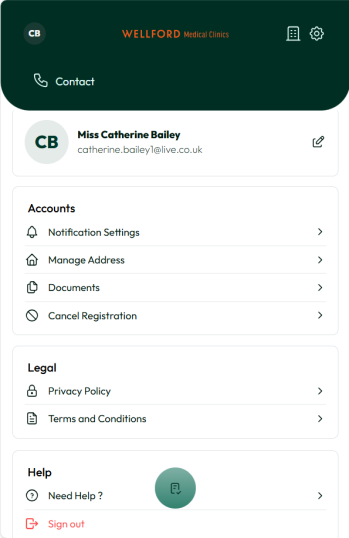
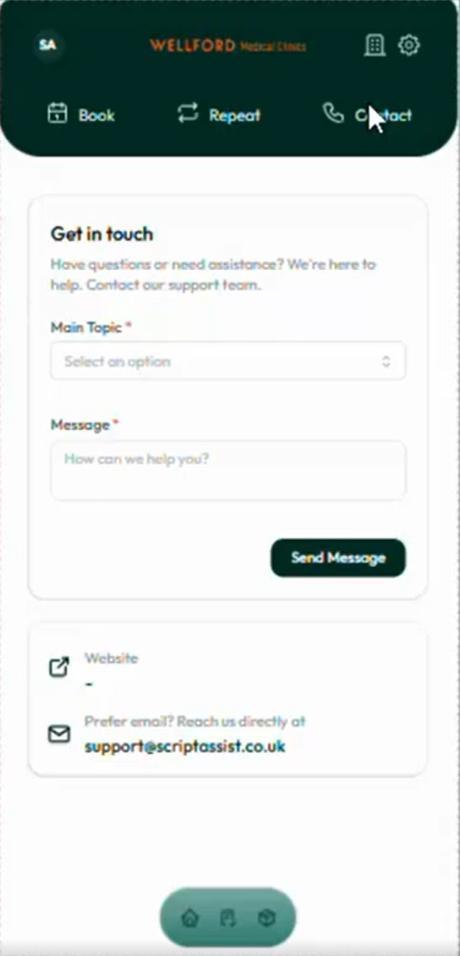
The Clinic section contains important information about Wellford Medical Clinics, including how to contact us. To send a message to our Patient Care Team:
A member of the team will reply as soon as possible during our opening hours, Monday to Friday, 9am to 5pm.
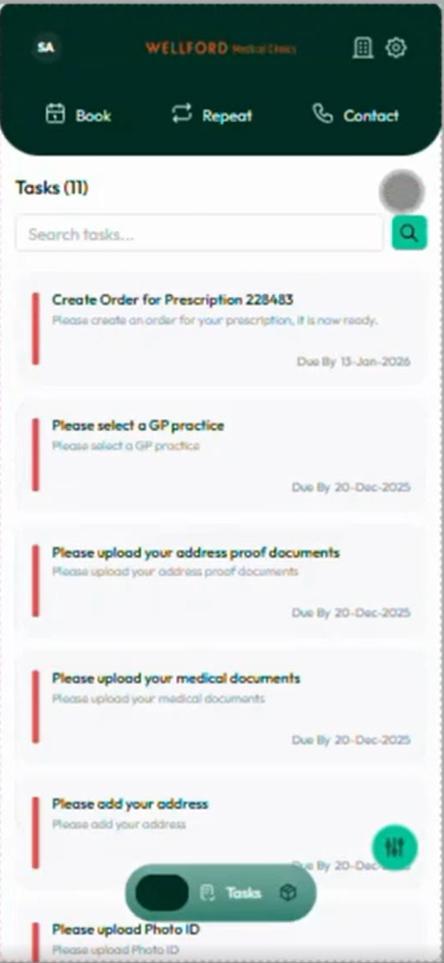
At certain points in your journey, your doctor or our team may ask you to complete specific tasks, and you may work together to agree goals. Tasks can include uploading documents, adding your GP details or creating an order for a prescription.
Completing tasks promptly helps avoid delays and supports safe clinical decision-making. All of your outstanding tasks appear on your home screen when you log in, and each one shows the date it is due by.
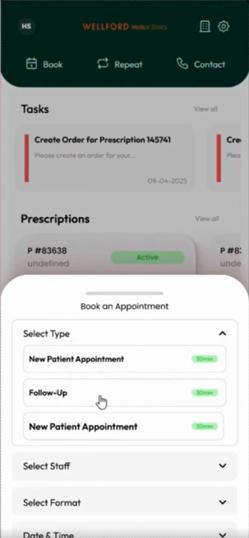
Follow-up appointments are an important part of your ongoing care with Wellford Medical Clinics. They give your doctor the chance to review how you are getting on, check for any side effects and make sure your treatment remains safe and appropriate.
Please note that a repeat prescription cannot be issued until your required follow-up appointments have taken place. You can book and manage all of your follow-up appointments through the app.
You can find full details of our memberships at wellfordclinics.com/pricing.
Your £20 initial appointment fee covers more than your appointment itself. It also contributes towards the work involved in getting you set up as a Wellford patient, including requesting and processing your medical records ahead of your consultation.
Once we have started this process, the £20 initial appointment fee is non-refundable if you decide to cancel your appointment.
If you are unable to attend your initial appointment, you must give at least 48 hours’ notice if you wish to cancel or reschedule. If you do not give the required notice, you will not be eligible for a refund and will need to pay for a new appointment.
For future appointments, including your follow-up appointment, you can cancel or reschedule up to 48 hours before your appointment. If you need to make a change, please let us know as soon as you can so we can offer the appointment to another patient.
Appointments cancelled with less than 48 hours’ notice, or missed without letting us know, are non-refundable. Any refunds or exceptions are made at the discretion of the clinic.
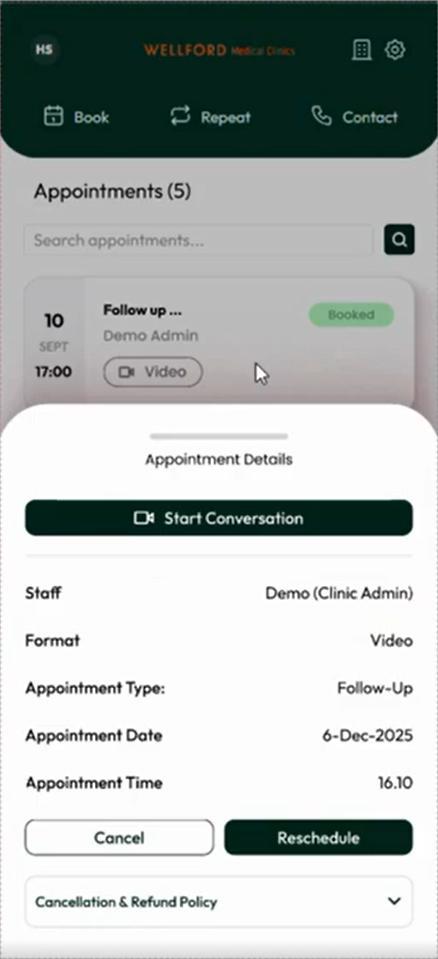
You can book, view, cancel or reschedule appointments directly in the app. Only appointments that are suitable for you to book yourself will be shown.
Your consultation takes place by video in the Wellford Patient App, with one of our specialist doctors. It is a chance to talk through your symptoms, medical history and any previous treatments, ask questions and discuss next steps.
Please log in a day or two before your appointment to check everything is working correctly. Once logged in, you will be able to view your appointment details and, if needed, reschedule to a more convenient time.
Can’t make your initial appointment? Please give us at least 48 hours’ notice to cancel or reschedule. Without this notice, you will not be eligible for a refund and will need to pay for a new appointment (see section 6.1).
To help your appointment run smoothly, please:
Once your prescription has been processed by the clinic, you will be able to create an order to select and pay for your medication. Open the task on your home screen, or go to the Prescriptions section, and you will be prompted to create your order.
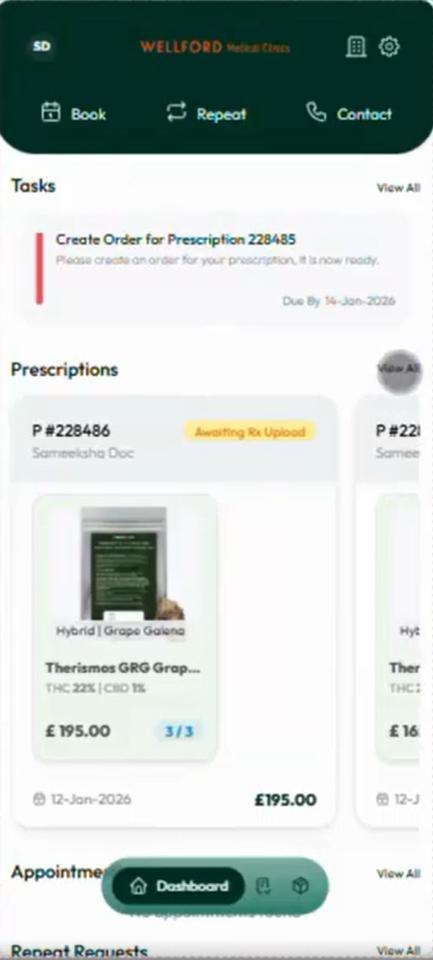
All of your prescriptions and their status are visible in the app. When a prescription is ready, you will be prompted to make payment so that it can be dispensed without delay.
Your medication is dispensed by our partner, Newgrove Pharmacy. Delivery is discreet, and if you pay before 1pm your medication will be delivered the next working day. Please note that medication costs are separate from appointment and membership fees.
If your clinician has approved repeat prescribing, you can request repeats directly in the app by tapping Repeat at the top of the screen. You will be able to browse the formulary and select from available products.
Built-in checks help keep your prescribing safe and appropriate. You may see the following labels next to a product:
Remember that a repeat prescription can only be issued once your required follow-up appointments have taken place.
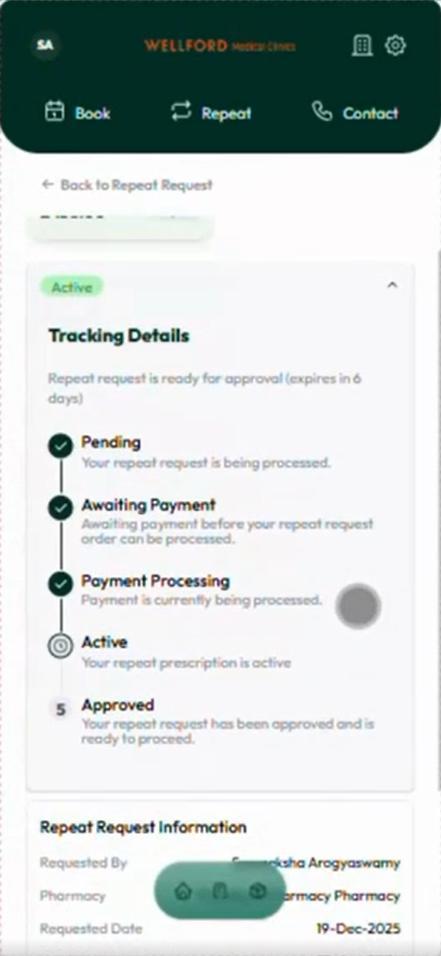
After you have paid, the team at Newgrove Pharmacy will begin preparing your order. You can check its progress at any time by opening your prescription or repeat request. The Tracking Details view shows each stage of the process.
Our short videos walk you through each part of the Wellford Patient App on screen. Select a title to watch it on the Wellford YouTube channel.
| Video | Length | Where it helps |
|---|---|---|
| ▶ How to create an account | 1:01 | Section 1 |
| ▶ How to contact the Patient Care Team | 0:32 | Section 4 |
| ▶ Completing tasks | 0:50 | Section 5 |
| ▶ Booking your follow-up appointment | 0:30 | Section 6.2 |
| ▶ How to attend your consultation | 0:25 | Section 6.3 |
| ▶ How to create an order | 0:51 | Section 7 |
| ▶ Requesting your repeat prescription | 0:35 | Section 8.1 |
| ▶ Viewing your prescription status | 0:17 | Section 8.2 |
You can find all of our videos at youtube.com/@wellforduk.
The Wellford Patient App is designed to make your care clearer, safer and easier to manage. If anything is unclear, or you would prefer to speak to a member of our team, we are always happy to help.
Tel: 0203 376 6661 | Email: [email protected] Opening times: Mon to Fri, 9am to 5pm
Thank you for being a patient with Wellford. Warm regards,